


Mimizaur: Tooth Brushing Timer
4.273.00 Reviews
App Specs
- Version
- 2.7.1
- Updated On
- License
- Free
- Downloads
- 100,000+
- Developer
- Toivo Golokos
- Categories
- Parenting
- Platform
- Android, iOS
Screenshots
 Analysis by AppCompare
Shared devices are common in family bathrooms: a phone or tablet may belong to a parent but become part of a child’s bedtime routine. Mimizaur: Tooth Brushing Timer is designed for that small, repeated moment, using a dinosaur character to give brushing a more playful focus. I find that approach most useful when a child already knows they need to brush but resists stopping whatever they are doing to begin.
It is a free parenting app from Toivo Golokos, with optional in-app purchases priced from $1.99 to $34.99 per item. Its 4.2 average from around 2,300 ratings and more than 100,000 installs suggest that many families have tried it, though those figures alone cannot tell you whether its style will suit your child. The key question is practical: will a friendly character make your household’s brushing routine easier to start and finish?
A small shared-device routine
In a realistic evening routine, a parent can bring the household device into the bathroom, open the app, and let the child follow the dinosaur while brushing. That gives the child something to focus on besides being told to hurry. It can be especially helpful when a younger sibling wants to copy an older one: the same visual prompt gives both children a common activity, while an adult remains responsible for making sure each child actually brushes.
I would treat the app as a prompt, not as a substitute for a caregiver. A timer or animated guide can help a child stay engaged, but it cannot check whether the brush reaches every part of the mouth or whether toothpaste is being used appropriately. If a child needs hands-on help, the parent still needs to provide it. The useful division is simple: Mimizaur can make the routine more inviting, while the adult handles supervision and personal care.
Keeping setup and expectations simple
On a shared phone or tablet, the easiest approach is to decide in advance who opens the app and when. A parent can start it as part of the existing morning or bedtime sequence, rather than handing over the device and expecting a young child to navigate independently. This reduces the chance that the brushing prompt turns into a request to keep using the phone after the routine is done.
It is also worth setting expectations before the first session. Explain that the dinosaur is there to make brushing more fun, not to replace the toothbrush or an adult’s guidance. If your child is easily distracted by screens, keep the device positioned where they can see the animation without letting the app become a reason to wander off or pause brushing. That simple boundary can make the tool more helpful than giving a child unrestricted access to a shared device.
For a family with more than one child, avoid assuming that a shared app automatically provides separate child profiles or household controls. The safer practical choice is to use it as a shared routine aid and supervise the device yourself. If you need individual records, independent settings for each child, or robust parent-management tools, compare those needs against the app before making it central to your system.
Worth Reading Before You Choose

EA SPORTS FC Mobile 26 Is a Bigger Football Game, but It Takes Time

Flipboard Shows What News Apps Must Do Beyond the Feed

Switching to Android Auto Means Rethinking Your Driving Routine

Google Calendar Makes a Crowded Week Easier to Manage

Ludo King Makes the Most of the Minutes Between Plans

Baby Panda World Brings Quick Play to Modern Phones, but Its Game Library Feels Busy
Making it work across different ages
A child who responds to characters and animation may enjoy having Mimizaur accompany brushing. Another child may find a screen distracting or may already brush willingly without extra encouragement. I would introduce it as an option rather than a rule: try it during a calm routine, notice whether the child keeps brushing, and stop using it if attention shifts from the toothbrush to tapping around the device.
For younger children, stay close and use the app alongside your own demonstration. Older children may be more interested in doing the routine independently, but they still benefit from an adult checking that brushing is thorough. The app’s Everyone content rating makes it suitable for a broad audience, but an age label does not determine whether a particular child is ready to use a device without supervision. Your child’s habits and needs matter more than the label.
This is also a sensible place to keep the household boundary clear: the app supports oral care, while personal hygiene decisions stay with the family and, when needed, a dental professional. If your child has specific brushing instructions, follow those rather than treating any general animated guidance as a replacement for advice tailored to them.
Getting Started with Mimizaur
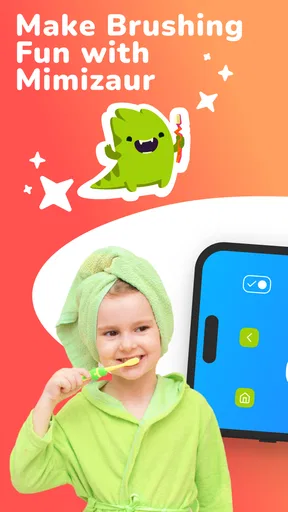
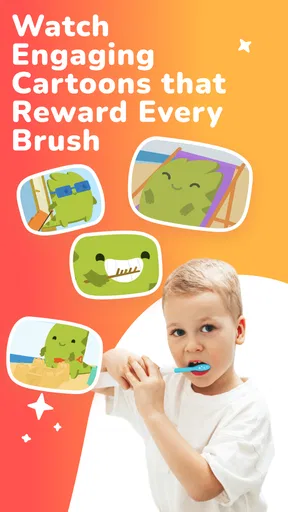
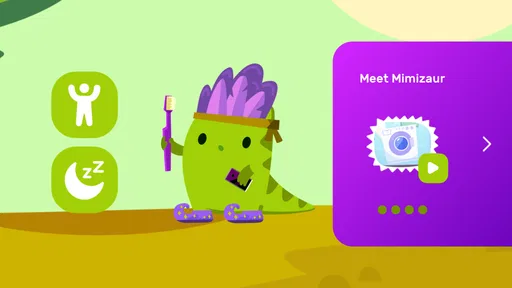
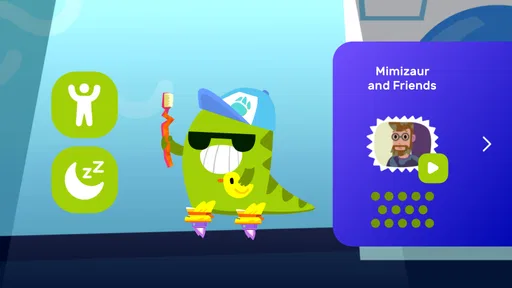
Right off the bat, downloading and setting up Mimizaur: Tooth Brushing Timer was a breeze. Available for both Android and iOS, it’s super easy to find and install. The app design is bright and colorful, featuring a friendly dinosaur that kids instantly love. Who doesn’t want a dinosaur buddy cheering them on?
Once installed, you’re greeted with a simple interface. The main character, Mimizaur, guides your child through the process, making it feel more like a game than a routine. The app’s playful graphics and catchy tunes are sure to keep the little ones entertained.
Features that Shine
The app is packed with features that make toothbrushing time not only effective but also fun. The timer itself is customizable, allowing you to adjust the duration to suit your child’s age and needs. This flexibility is a big win for parents.
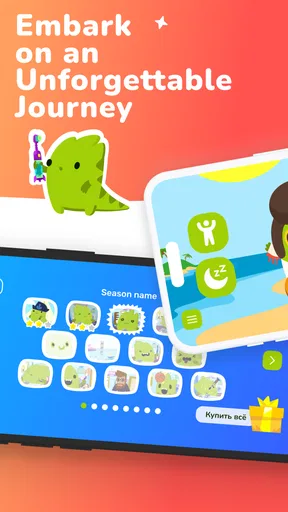
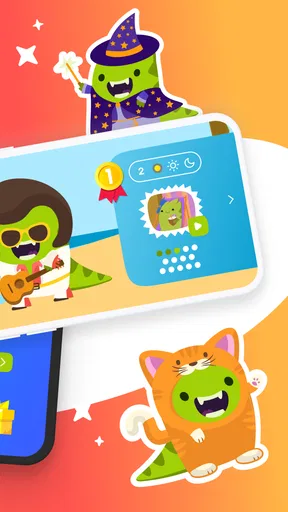
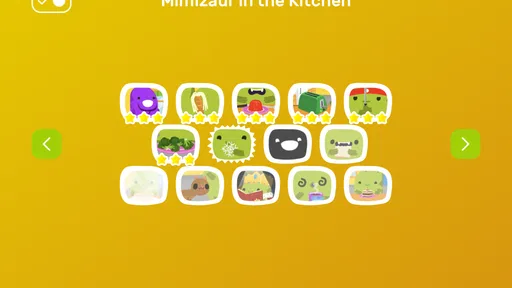
There’s also a reward system that keeps kids motivated. Each successful brushing session earns them points, which can be used to unlock new outfits and accessories for Mimizaur. It’s like a virtual sticker chart, but way cooler!
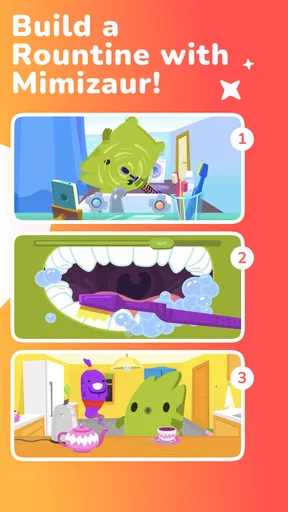
Another feature worth mentioning is the instructional animations. They show kids the proper brushing technique, which is crucial for developing good oral hygiene habits. The app does a great job of blending education with entertainment.
Easy Navigation and User Experience
Navigating through the app is intuitive. All the options are clearly laid out, so even if you’re not tech-savvy, you won’t have a hard time figuring things out. The app’s developers have done a great job keeping it user-friendly.
Parents will appreciate the app’s settings menu, which allows you to adjust the volume, set reminders, and even track brushing history. It’s these little details that make the app a handy tool in any parent’s arsenal.
Using the routine without adding friction
One practical tip is to connect the app to a cue your child already recognizes, such as getting ready for bed, rather than introducing a separate “app time.” That keeps the phone from becoming the main event. You can also let the child choose whether to use the dinosaur in the morning or evening, while keeping the brushing itself non-negotiable. The choice offers a little ownership without turning the routine into a negotiation about whether to brush at all.
Reminders and brushing history can be useful to an adult who wants a routine prompt or a simple way to notice whether sessions are being missed. I would use those features as aids to conversation, not as a scorecard. A missed entry does not necessarily mean a child skipped brushing, and a recorded session does not prove that brushing was thorough. The history is most helpful when it supports a gentle check-in rather than pressure or comparison between siblings.
There is a trade-off in using an app for a task that must happen twice a day: it adds a device to the routine. If the phone is already needed for alarms, messages, or other bedtime tasks, opening an app can become one more step. In that case, a simple kitchen timer, a song, or brushing together may be easier. Mimizaur earns its place when its character and guidance motivate a child enough to outweigh that extra device step.
How it compares with familiar alternatives
Compared with a plain timer, Mimizaur offers a character-led experience and instructional visuals, which may give a reluctant child a reason to engage. A sticker chart can make progress visible without a screen, but it asks a parent to maintain the chart and may not hold a child’s attention during the brushing itself. Brushing alongside a caregiver is more personal and needs no app, though it may not be practical every time. I see Mimizaur as a middle option: more animated than a timer, but still something an adult should use as part of the routine rather than hand over as a complete solution.
The choice depends on what is causing friction. If your child simply loses track of time, a basic timer may be enough. If they resist starting and respond well to a friendly character, the app’s presentation may help. If they need direct instruction or close support, brushing together is the stronger alternative. No single approach fits every child, and there is no reason to keep using a screen if it makes the bathroom routine longer or more stressful.
What Makes Mimizaur Stand Out?
What truly sets Mimizaur: Tooth Brushing Timer apart is its ability to make a mundane task exciting. The app isn’t just about keeping time; it’s about creating a positive experience around oral hygiene. The interactive elements keep kids engaged, and the sense of accomplishment they feel after completing a session is priceless.
Plus, the app’s educational aspect is noteworthy. Teaching children how to brush correctly is just as important as getting them to do it, and Mimizaur nails this with its step-by-step animations.
Who should try it, and who may prefer another approach
I think it is best suited to families looking for a playful nudge for a child who resists brushing or needs help settling into a predictable routine. It can also be useful when a parent wants a consistent cue that a child recognizes, especially if the caregiver can stay nearby and reinforce good technique. The character, timer, and animated guidance give the routine several points of interest rather than relying on a verbal reminder alone.
I would skip it if your child becomes more focused on the device than on brushing, if you want a fully screen-free bathroom, or if you need detailed family management features. It may also be unnecessary for a child who already brushes reliably with a simple verbal prompt. The free starting point makes it relatively easy to see whether the style works for your family, but optional purchases mean the app is not entirely without potential spending decisions. I would first try the core routine and decide whether any paid item is genuinely useful to your household.
Version, compatibility, and family fit
The current release is version 2.6.1 and it requires Android 5.0 or later. It is listed as free, with in-app purchases ranging from $1.99 to $34.99 per item. I would keep those purchase options in mind if a child uses the device directly: agree on who handles any purchase decisions and avoid letting a brushing activity turn into an unplanned shopping conversation. The app is rated for Everyone, but supervision and device boundaries remain a parent’s call.
For a shared household device, a parent can open the app, set the routine in motion, and put the device away once brushing is done. That workflow is less convenient than a dedicated brush timer, but it keeps access and purchasing decisions with the adult. If your family needs separate experiences for each child, or you want brushing records to function as formal accountability, check that the available setup meets that need before relying on it. For a simple shared prompt, a parent-led setup is likely the more sensible expectation.
Final Thoughts
In a world where getting kids to brush their teeth can be a struggle, Mimizaur: Tooth Brushing Timer is a game-changer. It’s entertaining, educational, and effective. Whether you’re dealing with a reluctant brusher or just looking to make toothbrushing more fun, this app is definitely worth checking out.
So go ahead, give it a try. Let Mimizaur help you turn toothbrushing time from a chore into a delightful adventure. Trust me, both you and your child will be grateful for it!
My household verdict is positive, with one important condition: use it as a companion to a parent-led brushing habit, not as proof that the job has been done well. The dinosaur and guided routine may make the first step easier for a child who needs encouragement, while the adjustable timer and reminders give adults practical ways to shape the habit. If a screen complicates rather than smooths your routine, a song, a timer, or brushing together is a better fit. For families whose children enjoy character-led prompts, though, it is a focused and approachable way to make a daily task feel less like a battle.
Pros
- Engaging dinosaur theme for kids.
- Customizable brushing time settings.
- Interactive animations encourage brushing.
- Simple interface easy for children.
- Motivates healthy dental habits.
Cons
- Limited features for older users.
- No parental control options.
- Requires constant internet connection.
- Animations may become repetitive.
- Ads can interrupt the experience.
FAQs for Mimizaur: Tooth Brushing Timer
What is Mimizaur: Tooth Brushing Timer and how does it work?
Mimizaur: Tooth Brushing Timer is an engaging app designed to make dental hygiene fun for kids. It features a playful dinosaur character that guides children through the recommended two-minute brushing routine. The app uses animations and music to entertain and motivate kids, ensuring they brush all areas of their mouth effectively.
Is Mimizaur: Tooth Brushing Timer suitable for all ages?
While Mimizaur: Tooth Brushing Timer is primarily designed for children, it can be used by anyone looking to improve their brushing habits. The app’s fun and interactive elements are particularly appealing to young users, making it easier for parents to encourage regular brushing routines for their kids.
Does the app require internet access to function?
Mimizaur: Tooth Brushing Timer is designed to work offline, allowing users to access its features without a constant internet connection. This makes it convenient for use in various settings, such as at home or while traveling, without worrying about data usage or connectivity issues.
Are there any in-app purchases or advertisements?
The app is free to download and offers a selection of features at no cost. However, it may include optional in-app purchases to unlock additional content or features. Users can enjoy the core functionalities without purchases, and there are minimal advertisements to ensure a seamless experience for children.
Can parents customize the app to suit their child's needs?
Yes, Mimizaur: Tooth Brushing Timer offers customization options for parents. You can adjust the timer settings, choose different animations, and even set reminders for brushing times. This flexibility helps tailor the app to fit your child’s specific needs and preferences, making brushing a more personalized experience.


